
Trusted by more than 350,000 athletes

Vondelgym West can represent the Netherlands at the Red Bull Gym Clash World Final in Egypt 💪
Language
Including VAT
 Free shipping on orders over €60
 30-day return period
 Free size exchanges
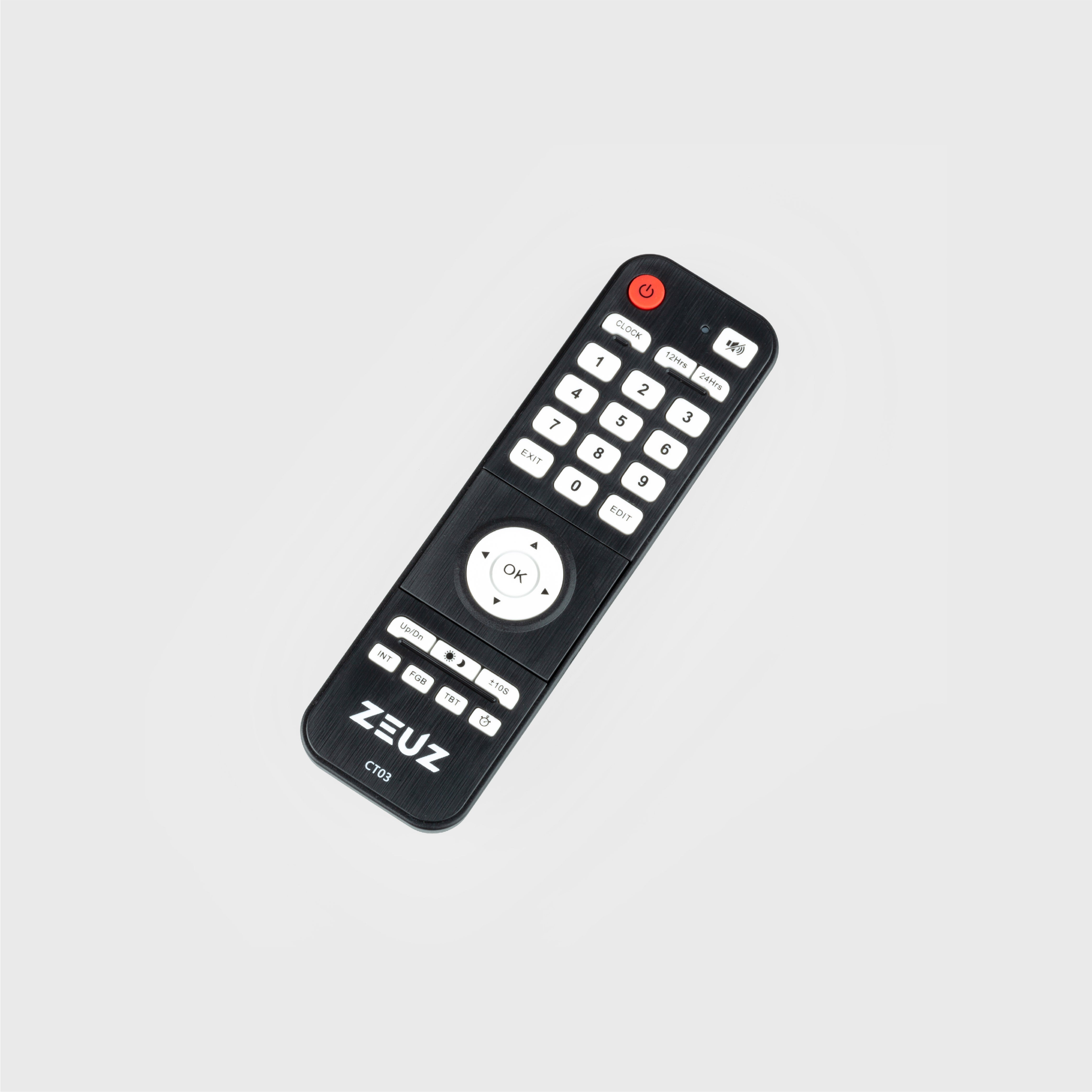
The ZEUZ Timer Remote Control gives you full control over your timer, even from a distance. This allows you to adjust the time, rounds, or rest without having to walk over to the device. Suitable for the ZEUZ Medium, Large, and Extra Large Timers, in the gym, box, or your home gym.
Benefits
Set the Time Without Interruptions
With the Timer Remote Control, you can quickly adjust the time on your interval timer without having to walk over to it. This is especially useful during group classes or intense workouts, when you want to adjust the settings between exercises.
Universally Compatible
The remote control is suitable for the ZEUZ Medium, Large, and Extra Large Timers. This allows you to operate all your interval timers with a single remote control, without needing a separate one for each model.
Always Ready to Use
The remote control runs on AAA batteries. This means you do not have to rely on a nearby power outlet or charging cable for your timer.
How to use the Timer Remote Control:
Use it for:
Stay in control of every workout with the ZEUZ Timer Remote Control.
You can return an item within 30 days of receiving your order if it meets our return policy.
Designed for performance. Trusted by athletes who train hard every day.
For orders in the Netherlands, Belgium, Luxembourg & Germany: Free shipping on orders of €60 or more.
For orders under €60 , the following shipping costs apply: Netherlands: €5,95, Belgium: €6,95 and Germany & Luxembourg: €7,95.
For other EU countries: Free shipping on orders of €80 or more.
For orders under €80 , shipping costs are: Other EU countries: €12,95
We strive to deliver your order as quickly as possible, so you can get started with your new fitness products right away!
Standard delivery times
Ordered before 3:00 PM on weekdays? Shipped the same day.
Delivery within 4 to 7 business days
EXCEPTIONS
Pre-orders
When a product is on pre-order , it will only be delivered on the first available delivery date. This is always clearly stated on the product page.
Large/heavy orders (pallet shipping)
If an order cannot be shipped via a regular shipping service, it will be sent by pallet . We currently only deliver pallet shipments in the Netherlands, Belgium, Germany and Luxembourg.
Busy periods & unforeseen circumstances
We do our best to ship all orders as quickly as possible. However, during busy periods, holidays, logistical delays, weather conditions or other unforeseen situations, delivery may take longer than usual. If this is the case, we will keep you informed.
Once your order has been shipped, you will receive an email with a tracking number and a
link to track the status of your package. You can use this link to follow the progress of your delivery.
We offer a wide range of payment options to make the checkout process as easy and accessible as possible for all our customers. The following payment methods are divided into categories:
Credit cards: MasterCard, American Express, Maestro & UnionPay
Bank transfers: iDeal, Sofort & Bancontact
Mobile payments: Apple Pay & Google Pay
Other payment methods: Klarna Pay Later, Paypal & Shop Pay
Choose the payment method that best suits your preference and enjoy a simple and secure checkout process.
You do not need an account to check out and place an order at www.zeuzfitness.com. However, an account offers several benefits, such as tracking your orders, faster checkout, and receiving exclusive offers. Creating an account is easy:
On a computer: Click the person icon in the menu bar at the top of the browser. You will then be taken to the login or sign-up page. Click sign up and create your own account.
On mobile: Click the menu bar and then click account page at the bottom. You will then be taken to the login or sign-up page. Click sign up and create your own account.


